A clearer way to compare
Instagram & TikTok posts.
Sort public profile posts by Likes, Comments, Engagement score and other metrics, re-sort your results, and export in the order you see — see how it compares
Available for Chrome & Firefox, Safari coming soon
Instagram & TikTok Sort by Engagement
Sort by Engagement score, likes, comments, date, and other available metrics. Re-sort the same results as often as you like, in either direction.
Export Instagram Data & TikTok Data
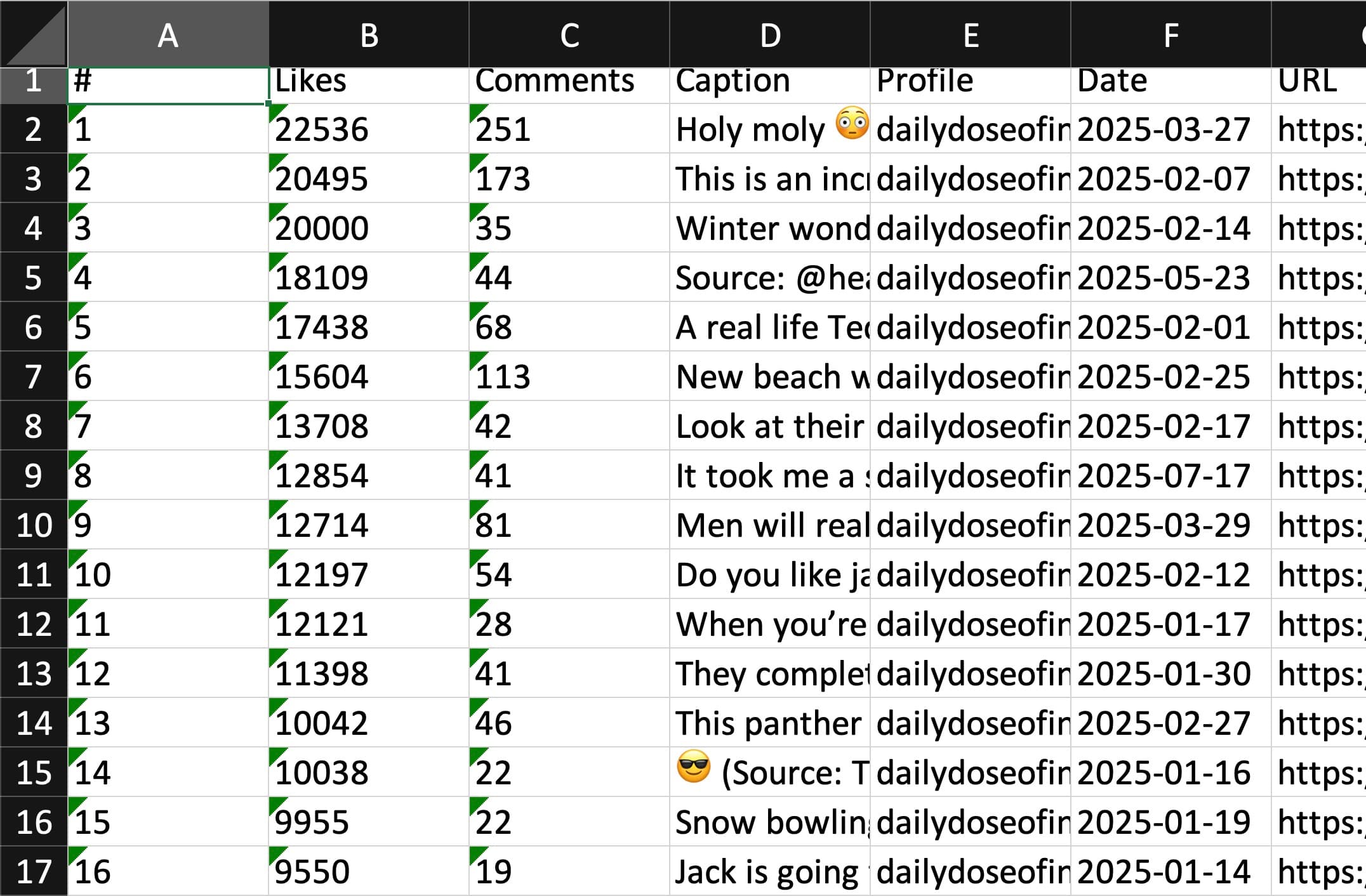
Export data with Engagement scores in the displayed order: CSV, JSON, or XLSX on Chrome. Download individual posts or bulk media ZIPs with Pro.
Respects your Privacy
Post analysis and export processing run locally in your browser. Free needs no Feed Analyzer account; Pro sign-in and billing use online services.
Instagram Analytics·TikTok Analytics·Alternatives
Simple, Transparent Pricing
Start for free, upgrade as you scale.
Free
Perfect for the occasional sort.
No account required
- Sort up to 25 posts at a time
- Every metric, including Engagement score
- Unlimited re-sorting of your results
- Download individual posts and media
- CSV, JSON, and XLSX (Chrome) exports
Pro Analyst
For content creators and social media managers.
Billed $48 Yearly
- Everything in Free
- Sort up to 1,000 posts at a time
- Date range filtering
- Prioritize recent posts over pinned placement
- Bulk media ZIPs, including carousels and slideshows
- Priority support
Prices may vary by location · Already a subscriber? Manage your subscription · Refund policy
Every Format You Need
Data exports include Engagement scores and follow your current displayed order. CSV, JSON, and supported XLSX exports are included in Free.
CSV
Export to any spreadsheet tool. Sort, pivot, and analyze in Excel or Google Sheets.
JSON
Machine-readable format for scripts, APIs, and data pipelines.
XLSX
A formatted Excel workbook with Engagement scores. Available on Chrome; use CSV or JSON on Firefox.
Media ZIP
Pro: download selected images and videos, including carousels and slideshows. Large exports split into multiple ZIPs.
Analyze Any Social Profile in 3 Steps
Three simple steps to transform raw social data into actionable business intelligence.
Open & Configure
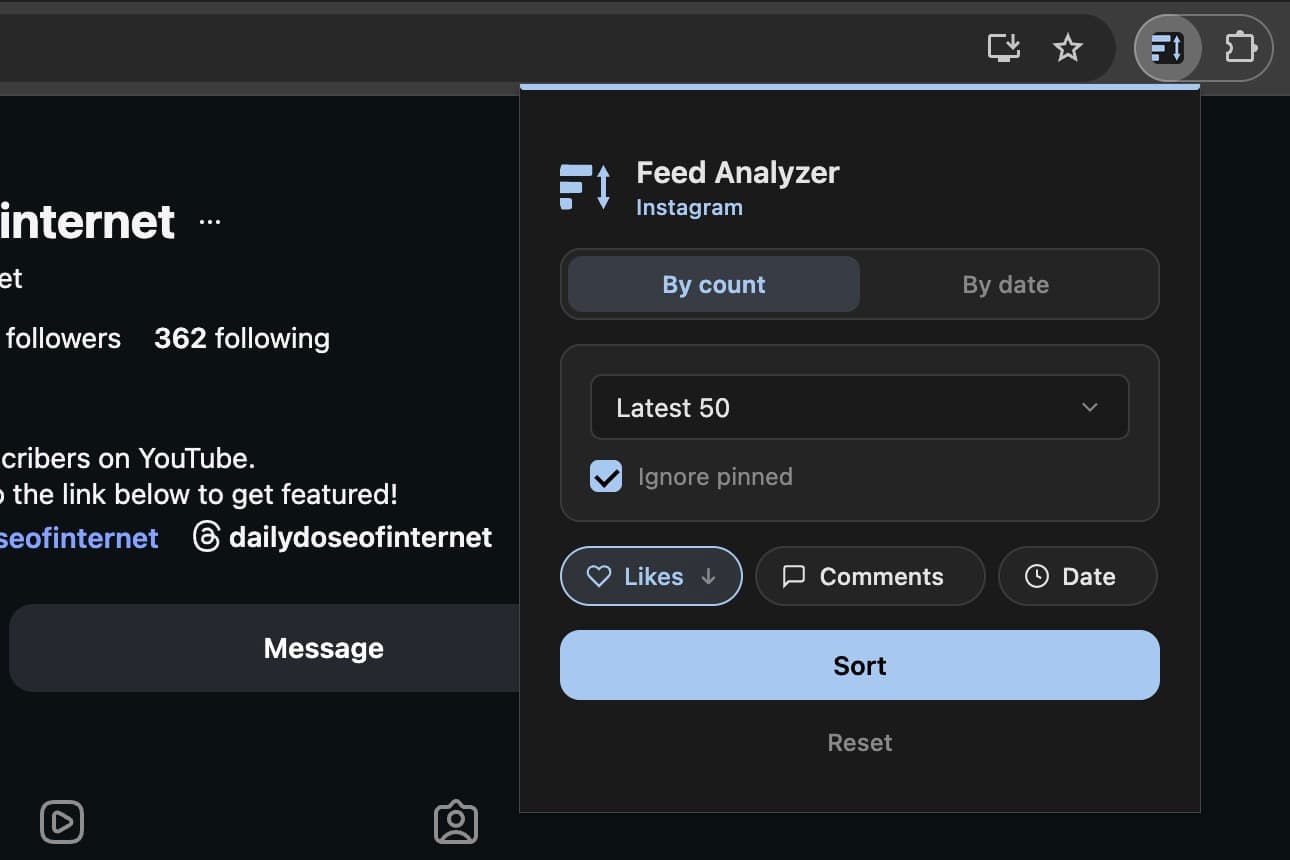
Navigate to any public Instagram or TikTok profile and open the extension. Choose a post limit and sorting metric, including Engagement score. Pro also offers date-range filtering.
Scan & Sort
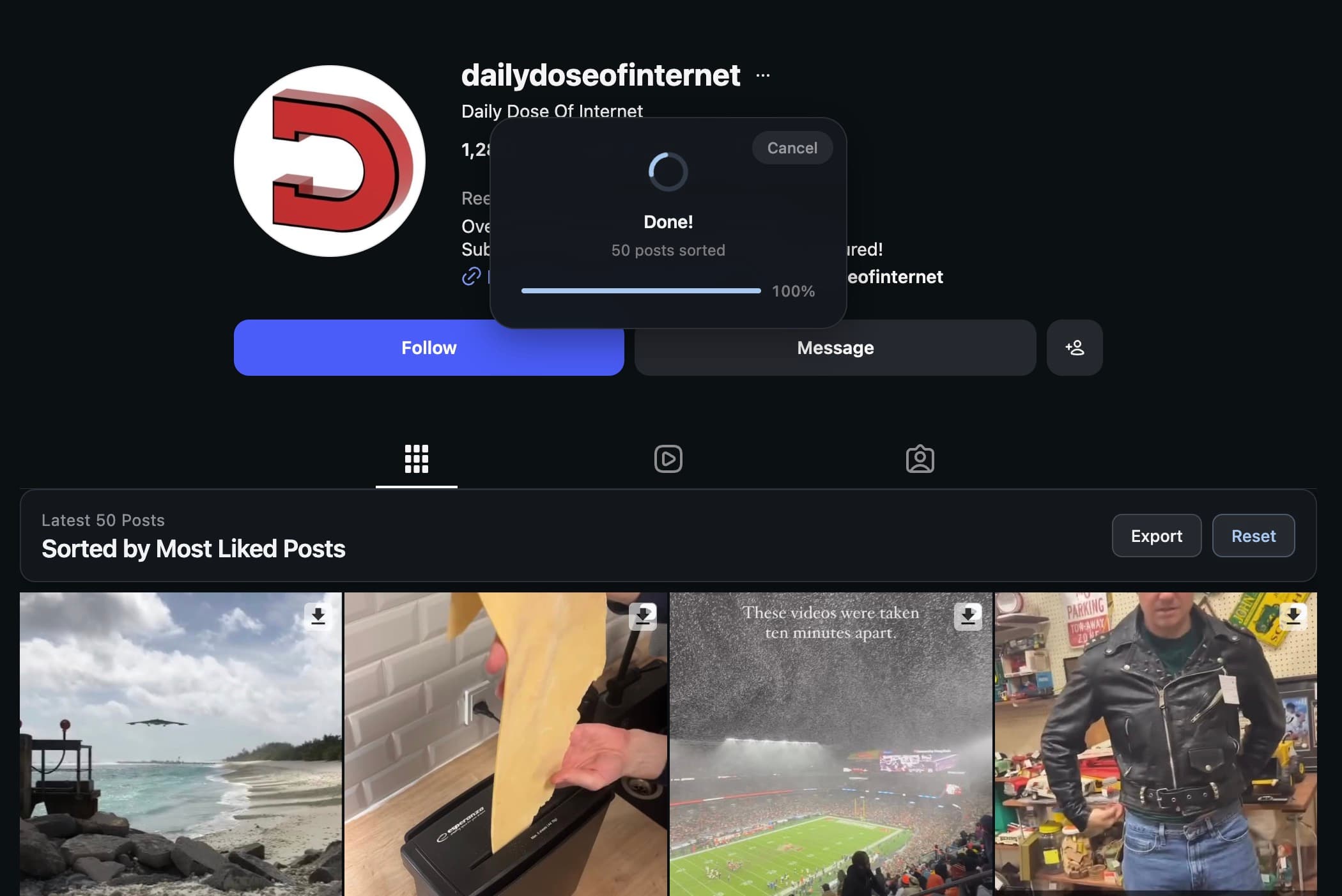
Collect your posts once, then change the metric or direction in the result banner as often as you like. Re-sorting keeps the same posts and captured data.
Export & Analyze
Export data with Engagement scores in the displayed order as CSV, JSON, or XLSX on Chrome. Download individual media or use Pro for bulk ZIPs.